Get Fast Feedback
& Approval
on Your 3D Modelsfor 3D studios and freelancers
Upload a 3D model, send one link. Feedback lands as pins on the geometry, exactly where the camera it was left from. Reviewers never sign up.
Your clients never sign up · Nothing to install · Your files stay private
How it works
Three steps. Your client does one of them, and doesn’t need an account for it.
Upload your model
Drag it in. GLB and glTF go straight in; FBX, OBJ, STL, STEP, Rhino and more convert on the way.
GLBFBXOBJSTLSTEP3DM.zipSend one link
No account for them. Nothing to install. It opens in the browser they already have.
meshmarkup.com/r/8kQ2vN…CopyThey point. You fix.
Notes land on the model itself, with the view they were looking at. Then they sign it off.
2facet_front_ROPENApproved by Maren0 open
Why MeshMarkup
Fewer rounds. Clearer feedback. Sign-off on the record.
Here is the same review, both ways.
Screenshots and email
Marenby email
“The bit near the top looks a bit sharp — can you soften it?”
Boby email
“Second one from the left in the render. Or maybe the third?”
Sofiaby email
“Can you send it from the other side so I can point at it?”
- Re-render the angle they meant, send again, wait again
- Feedback in email, Slack and a call, in no order
- No way to tell if they looked or just went quiet
- Approval is a reply that says “looks good 👍”
With MeshMarkup
1shade_outerRESOLVED
Soften this edge — it reads sharp in the close-up.
2stem_jointIN PROGRESS
Gap here is 2mm wider than the spec.
3canopyRESOLVED
Reads flat from above. More depth?
- One click puts you at their exact view
- Every note on one board, across every model you have out
- You can see who opened the link and who hasn’t
- Sign-off is dated, named, and blocked while anything is open
No more guessing
The note knows where they were standing.
Click a note and the model turns to the view it was written from. Nothing to describe, nothing to re-render.
- → Notes stick to the model, so they’re right from any angle
- → The part gets named for them: facet_front_R
- → They can measure a gap instead of asking you
Nothing gets lost
Feedback turns into a list you can finish.
Every note has a state both of you can see, so “did you do the one about the seam?” answers itself. With seven models out at once, one board shows you everything waiting on you — instead of opening each job to find out.
And you can talk to your own team on the same note without the client seeing it. Those replies are stripped out of their copy entirely, not just hidden from view.
Maren · client
Can this edge be softer? It reads sharp in the close-up.
Tomas · you
Bevel bumped to 2.5mm — new version tonight.
Tomas INTERNAL
This is the third time — quote extra hours next round. Maren never sees this.
Versions
Send v2 without losing the argument about v1.
Each version keeps its own notes, so months later you can still see why the handle ended up like that. Anything still open moves forward with it, so a note can’t quietly vanish between revisions — which is how a fix gets forgotten and charged for twice.
You can also lay the old version over the new one, so “we did change it” is something you show rather than something you claim.
Not only 3D
Renders, drawings and snapshots, in the same link.
Add the renders, a PDF drawing or the supplier’s datasheet next to the model. Your client pins notes on them the same way, and draws an arrow or a box when words aren’t enough. Same notes, same statuses, same sign-off.
No renders yet? Take snapshots straight from the model, in Full HD or 4K. The angles are saved, so v2 is shot exactly like v1 and the client compares like with like.
- JPG, PNG, WebP and every page of a PDF
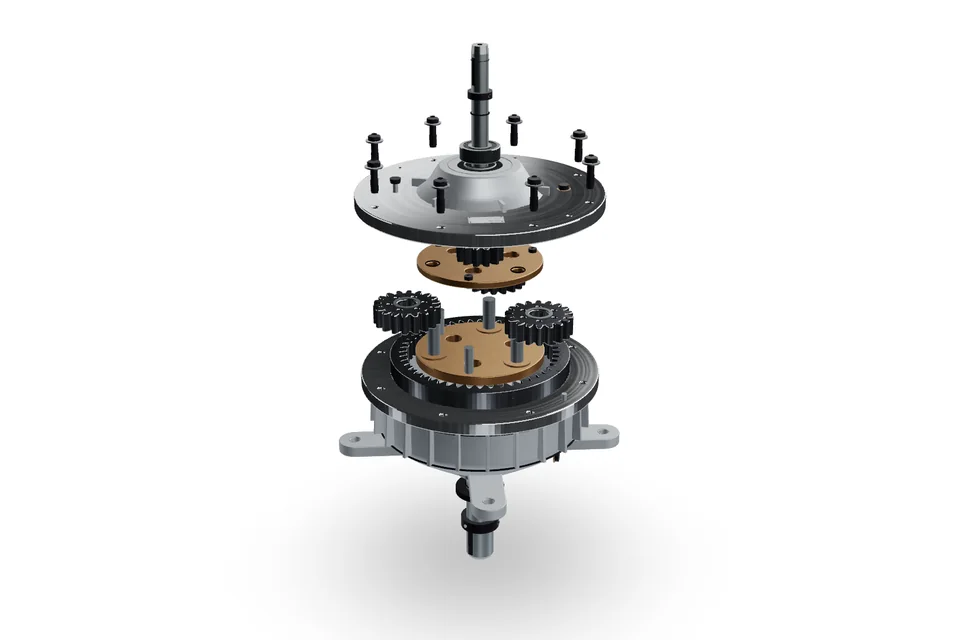
- Snapshots of the model, with the section cut or exploded view you set
- Send the images without the 3D file, when the model shouldn’t leave
 1 front
 2 back
 3 side
 4 top
2 frontOPEN
Use countersunk screws on the cover, so it sits flush.
2 boxes drawn
Snapshots · 4 views
v2 is up. Re-shoot the same 4 angles and slide between them.
rev A ↔ rev B
Sharing
Find out who actually looked.
Give each person their own link, and you can see who opened it and who didn’t. Silence stops being a mystery you have to chase by email — you already know whether it’s “happy” or “hasn’t looked”.
The client can comment, the art director can sign off, a supplier can only look. You can switch a link off at any time and keep everything that was said through it. And none of them ever costs you a seat.
Review round 3 · geo_planter v3
+ New link · view / comment / approve
Drop a 3D model here
opens instantly · nothing uploads
Free viewer
Check an export in ten seconds. Nothing leaves your machine.
Drop a file in and look at it — triangle count, materials, part names, wireframe. It opens inside your browser, so there is no copy on a server and nothing to delete afterwards. You can use it on work you are not allowed to send anywhere.
No account, no limit, no catch. It is the honest way to find out whether the viewer is good enough before you trust a client to it.
Open the free viewer →Start Free. Upgrade When You Need More.
Create professional 3D annotations with no upfront commitment. Start for free and upgrade when your workflow demands more.
Yearly is 2 months off, billed once.
Free
Trying it on a real job.
$0forever
- 3 new models every 30 days
- 1 version per model
- 50 MB storage
- 1 image or snapshot per model, Full HD
- 1 seat, plus free reviewers
- Pinned notes, replies and “looks good”
- Studio: materials, lighting, Full HD renders with our mark
- Animations play for you, plus one 5-second video
- Embed and host models, with “Powered by MeshMarkup”, 200 views a month
- Blender add-on
Solo
One modeler, sending work out most weeks.
$29/month
billed monthly
Less than one hour spent redoing a change the client already approved.
- 25 active models
- Unlimited versions
- 20 GB storage
- Unlimited images, PDFs and snapshots, up to 4K
- 1 seat, plus free reviewers
- Client sign-off on the record
- Full Studio: every material, your own lights, 4K renders, no mark
- Animations: clients play them, notes at a moment, videos in Full HD
- Embed and host models, no badge, a 3D configurator
- Integrations: Slack, task tools, folders, API and webhooks
Studio
A team sharing the work, with seats and roles.
$89/month
billed monthly
- 250 active models
- Unlimited versions
- 200 GB storage
- Unlimited images, PDFs and snapshots, up to 4K
- 5 seats, plus free reviewers
- Client sign-off on the record
- Full Studio: every material, your own lights, 4K renders, no mark
- Animations: clients play them, notes at a moment, videos up to 4K
- Embed and host models, no badge, configurators in embeds
- Integrations: Slack, task tools, folders, API and webhooks
Pipeline
Lots of models, lots of people, and your own tools plugged in.
from$249/month
billed how it suits you
- Unlimited models
- Unlimited versions
- 2 TB storage
- Unlimited images, PDFs and snapshots, up to 4K
- Unlimited seats, plus free reviewers
- Client sign-off on the record
- Full Studio: every material, your own lights, 4K renders, no mark
- Animations: clients play them, notes at a moment, videos up to 4K
- Embed and host models, no badge, configurators in embeds
- Integrations: Slack, task tools, folders, API and webhooks
Compare every feature side by side — every limit, in one table.
Secure checkout with Stripe


- 256-bit SSL encrypted
- Cancel any time
- 14-day money-back guarantee
You are handling work your client hasn’t announced yet. If it leaks, it is your name on it — so here is exactly what happens to the files, in plain terms.
Nothing is public
Your files have no public address. A review link opens them through a pass that expires — there is no URL anyone can guess or forward forever.
A stolen database is not a set of links
Review links aren’t stored in a form anyone could read back out, so a breach of our database doesn’t hand out access to your clients’ work.
Studios can’t see each other
Separation is enforced by the database itself, not by careful page code. A bug in the app can’t show you someone else’s models.
Never indexed
Your models, your review links and the app are kept out of Google. A client’s unreleased product doesn’t turn up in a search.
FAQ
The questions people ask before they try it.
Short answers. If yours isn’t here, ask us — a person replies.

Ivan Franco built this after years of chasing client feedback by email.
Founder, MeshMarkup · Read why he built it →
Does my client need an account?
No. They click the link, type their name once, and start leaving notes. Nothing to install, no password, and they never count as a seat.
Which file formats work?
GLB and glTF upload directly. FBX, OBJ, STL, PLY, DAE, STEP, IGES, Rhino 3DM, 3MF and 3DS are converted automatically when you pick the file. Blender, Cinema 4D, 3ds Max, Maya and SolidWorks files need exporting first — the upload screen shows you the menu path.
Can I send a whole project at once?
Yes. Share the project instead of each model and your client gets one link with every model in it, showing which ones still need them and which are signed off.
Is my work private?
Yes. Files are never public, review links open through a pass that expires, and nothing is indexed by search engines. The free viewer doesn’t upload at all — it reads the file in your browser.
What happens when I upload a new version?
The old version keeps its notes, and anything still unresolved carries over to the new one. You can also overlay the two versions to show what changed.
Can I switch off a link I’ve sent?
Yes, any time. The feedback left through it stays. Give each client their own link and you can see who opened it.
What’s included for free?
Three new models every 30 days, one version each, 50 MB of storage and unlimited reviewers. No trial clock and no card needed. Client sign-off comes with Solo.
What if I cancel?
You move to the free plan and your models stay where they are. You can export everything as a single file at any time. And if it isn’t right for you, ask within 14 days of your first payment and we refund it in full.
Send one link.
Get feedback you can act on.
Upload the model you were about to screenshot, send the link instead, and see your workflow improve.
3 new models every 30 days · No card · No trial clock counting down